
Phone Battery Draining Fast? 10 Proven Fixes That Actually Work
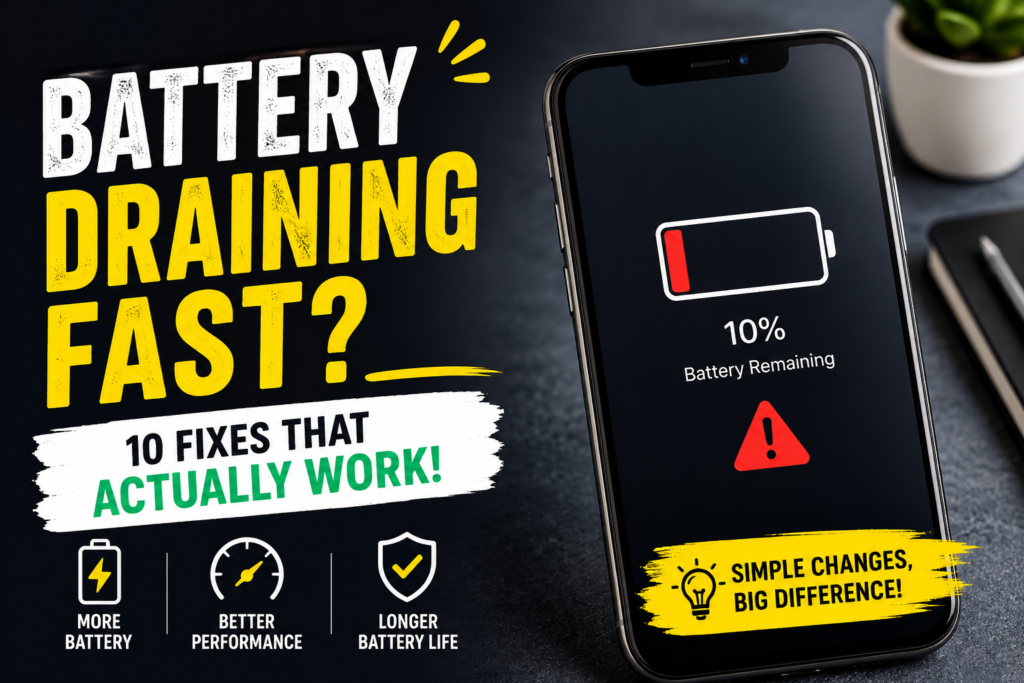
Phone battery draining fast? You’re not alone. A phone battery draining fast issue is one of the most common problems faced by Android and iPhone users today. If your battery percentage drops quickly, your phone heats up, or you need to charge multiple times a day, hidden settings or background apps may be the reason.
If your battery percentage drops quickly, your phone heats up, or you constantly need to charge your device multiple times a day, hidden settings or background apps may be draining your battery without you realizing it.
The good news is that most battery issues can be fixed easily. In this guide, we’ll share 10 proven fixes that actually work to improve battery life and make your phone last longer throughout the day.
Why Is Your Phone Battery Draining Fast?
There are several reasons your phone battery may be draining quickly, including:
- High screen brightness
- Background apps running constantly
- Excessive notifications
- Location services (GPS) staying ON
- Old software bugs
- Poor battery health
- Overheating issues
- Heavy gaming or video streaming
Let’s look at the solutions.
1. Reduce Screen Brightness
One of the biggest battery killers is your phone’s screen brightness.
Keeping brightness at maximum consumes a lot of power, especially if you spend hours scrolling social media, watching videos, or gaming.
Fix:
Turn ON Auto Brightness or manually lower your brightness.
On Android:
Settings → Display → Adaptive Brightness
On iPhone:
Settings → Display & Brightness
A slightly dimmer screen can noticeably improve battery life.
2. Check Which Apps Are Draining Your Battery
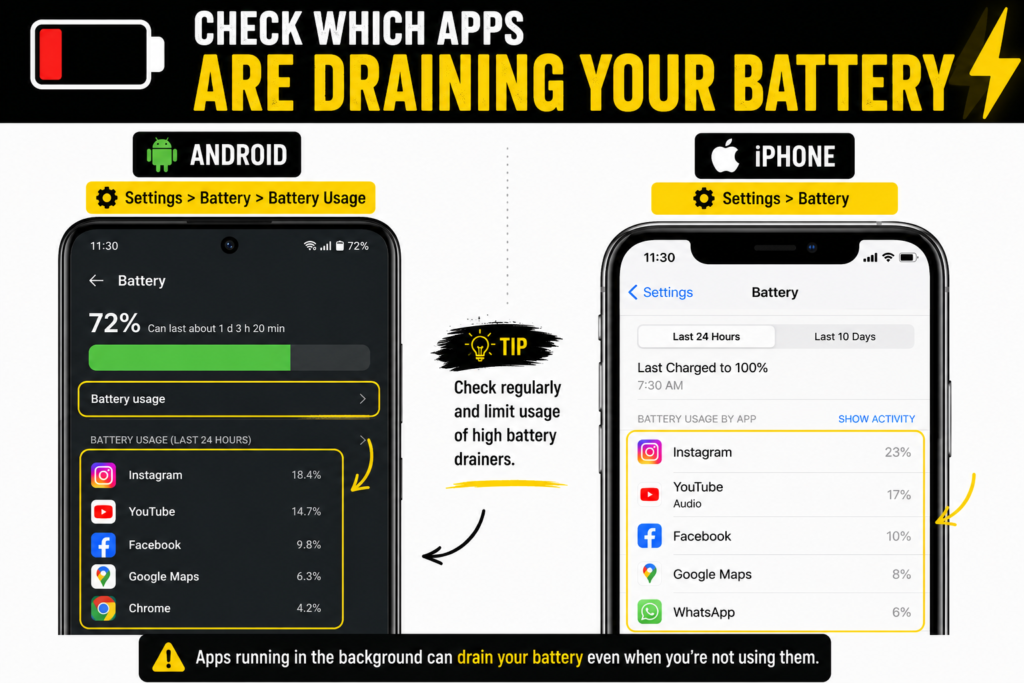
Some apps secretly consume battery in the background even when you are not using them.
One of the biggest reasons for a phone battery draining fast problem is apps running continuously in the background without your knowledge.
Apps like Instagram, Facebook, YouTube, Google Maps, and gaming apps are common battery drainers.
How to check battery usage:
Android:
Settings → Battery → Battery Usage
iPhone:
Settings → Battery
Check which apps are consuming the most battery and limit usage if needed.
If you’re unsure which apps are secretly consuming power, check out our guide on Apps Draining Battery? Here’s How to Find Them and Fix the Problem.
Pro Tip:
Uninstall apps you rarely use but constantly run in the background.
One of the biggest reasons for a phone battery draining fast issue is apps constantly running in the background.
3. Turn Off Background App Refresh
If you are facing a phone battery draining fast issue, turning off background app refresh can help reduce unnecessary battery usage.
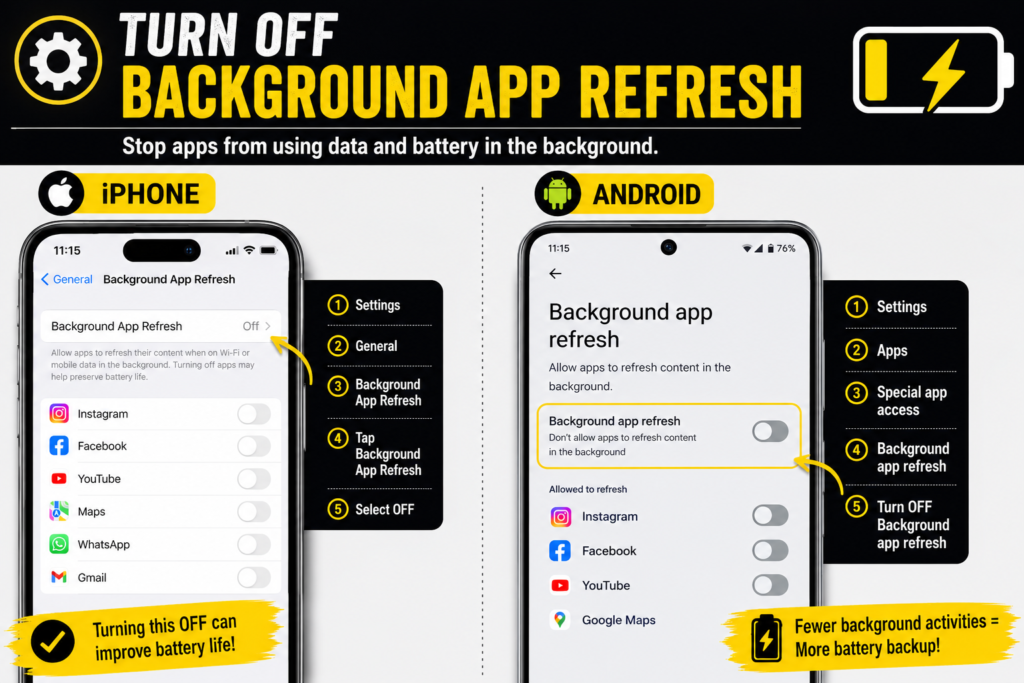
Many apps continue refreshing content in the background even when closed.
This means apps may still consume battery, internet, and system resources without you realizing it.
On iPhone:
Settings → General → Background App Refresh → OFF
On Android:
Restrict background activity for battery-hungry apps.
Turning this OFF can make a huge difference, especially on older phones.
4. Disable Location Services When Not Needed
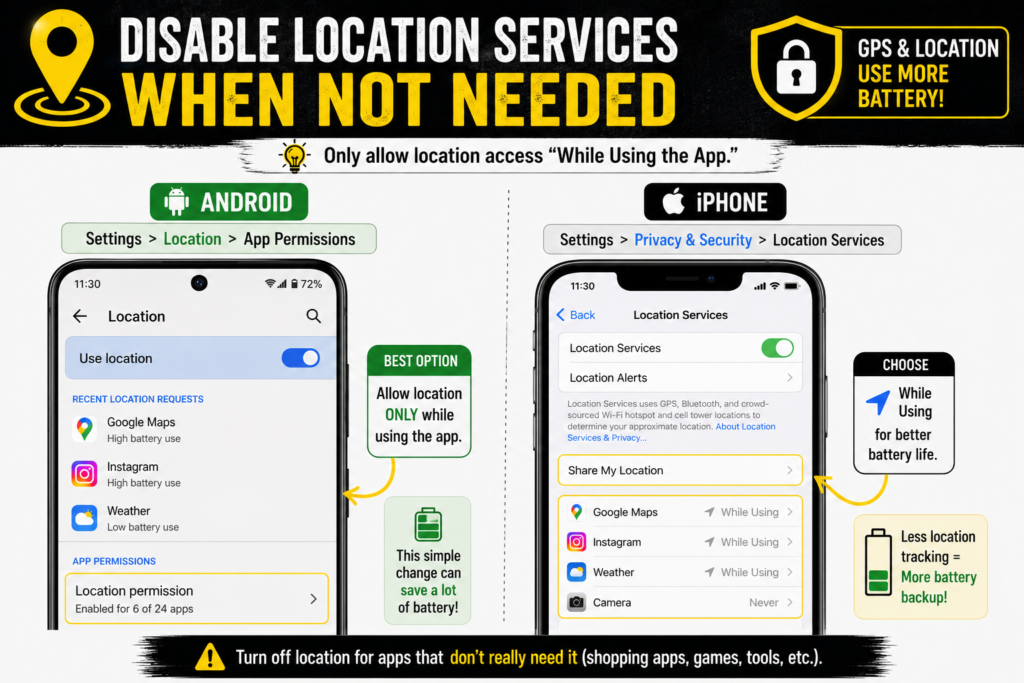
GPS and location tracking are major battery drainers.
Apps like maps, food delivery, shopping, and social media may continuously track your location.
Fix:
Only allow location access “While Using the App.”
Android:
Settings → Location → App Permissions
iPhone:
Settings → Privacy & Security → Location Services
Avoid keeping GPS ON all the time unless necessary.
5. Turn Off Features You’re Not Using
Many phone features continue consuming battery in the background even when not needed.
Turn OFF:
- Bluetooth
- Wi-Fi (when outside)
- Hotspot
- NFC
- AirDrop (for iPhone users)
Keeping unnecessary features ON can slowly drain battery throughout the day.
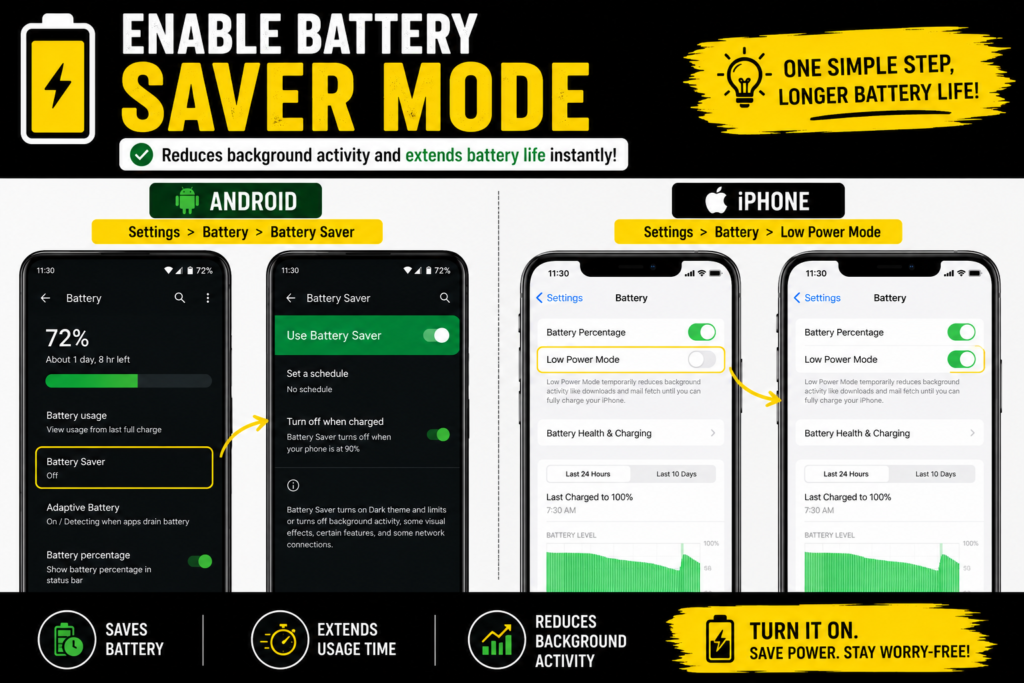
6. Enable Battery Saver Mode
When your phone battery draining fast problem becomes frustrating, Battery Saver Mode is one of the quickest temporary fixes.
Slightly awkward grammatically, but it matches the exact keyword. Better version:
When you notice your phone battery draining fast, Battery Saver Mode is one of the quickest temporary fixes.
Battery Saver Mode reduces background activity and improves battery efficiency.
Android:
Settings → Battery → Battery Saver
iPhone:
Settings → Battery → Low Power Mode
If your battery drains quickly during work or travel, turning this ON can help your phone last much longer.
7. Update Your Phone Software
Sometimes battery drain happens because of software bugs.
Manufacturers regularly release updates to fix battery optimization issues.
Fix:
Check for software updates regularly.
Android:
Settings → Software Update
iPhone:
Settings → General → Software Update
However, if a recent update caused battery drain, wait for the next patch update.
You can also check official update guides directly from
Apple Support
and
Android Help
for device-specific instructions.
8. Reduce Unnecessary Notifications
Every notification wakes your screen and uses battery power.
Apps constantly sending alerts can quietly reduce battery life.
Fix:
Turn OFF notifications for apps you don’t need.
Examples:
- Shopping apps
- Food delivery apps
- Promotional apps
- Games
Fewer notifications = better battery life.
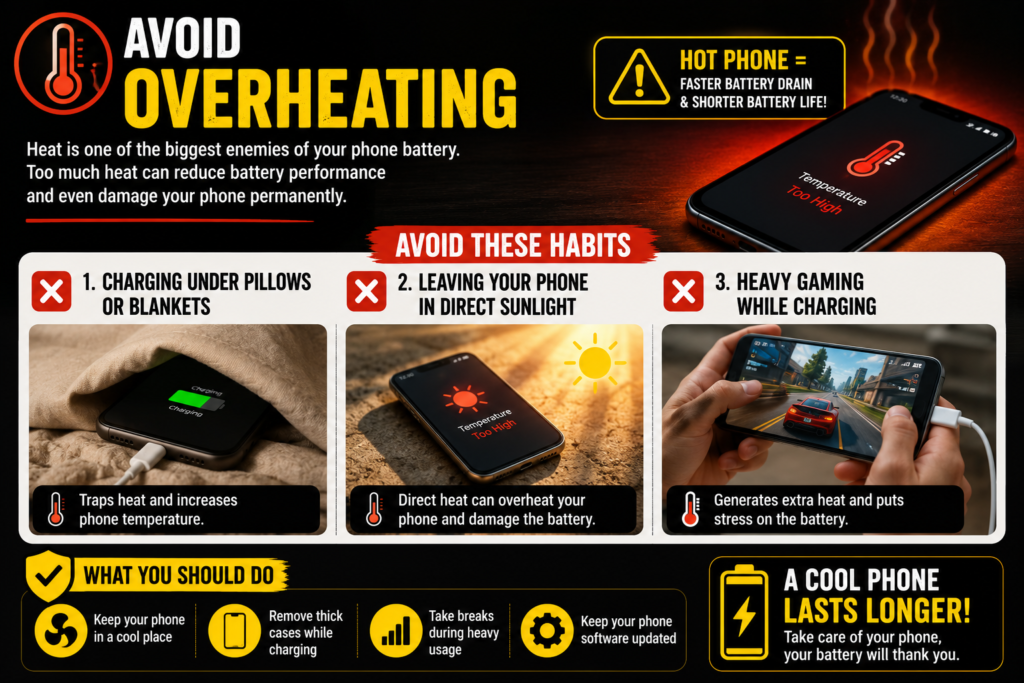
9. Avoid Overheating
Overheating is another major reason why a phone battery drains fast throughout the day.
Heat is one of the biggest enemies of smartphone batteries.
If your phone often feels hot, battery performance may reduce faster.
Avoid:
❌ Charging under pillows or blankets
❌ Leaving your phone in direct sunlight
❌ Heavy gaming while charging
Overheating can permanently damage battery health over time.
If your device feels unusually hot, you may also want to read our detailed guide on Why Is My Phone Heating Up? Causes and Fixes to identify the exact reason behind the overheating.
10. Check Battery Health
If your phone is a few years old, the battery itself may be degrading.
Old batteries naturally lose charging capacity.
On iPhone:
Settings → Battery → Battery Health & Charging
If battery health is below 80%, replacing the battery may help.
Many Android brands also provide battery diagnostics through settings or service apps.
Bonus Tip: Dark Mode Can Save Battery
If your phone has an OLED display, enabling Dark Mode may help save battery.
Enable Dark Mode:
Settings → Display → Dark Mode
This is especially useful for people who use their phones heavily at night.
Frequently Asked Questions (FAQs)
Why is my phone battery draining overnight?
Battery drain overnight may happen because of background apps, Wi-Fi, GPS, or software updates running automatically.
Why is my battery draining even when I’m not using my phone?
Apps running in the background, notifications, location tracking, and poor battery health are common reasons.
Does fast charging damage battery life?
Fast charging is generally safe, but excessive heat while charging may affect battery health over time.
When should I replace my phone battery?
If battery health drops below 80% or your phone requires charging multiple times a day, consider replacing it.
Why is my phone battery draining fast suddenly?
Your phone battery draining fast suddenly may be due to a recent software update, background apps, high brightness, location tracking, overheating, or poor battery health.
Final Thoughts
If you are tired of your phone battery draining fast, these simple fixes can help improve battery life and make your phone last longer throughout the day.
A phone battery draining too fast can be frustrating, but the good news is that most battery issues are fixable.
Start by checking battery-draining apps, reducing brightness, limiting background activity, and enabling battery saver mode. Small changes can significantly improve battery performance and help your phone last longer throughout the day.
Which fix worked for you? Let us know in the comments below!




Leave a Reply
Want to join the discussion?Feel free to contribute!